AI Application Planner: Turn Scattered Tasks Into a Working Schedule
2026-08-20
An AI application planner helps you convert a chaotic pile of tasks, meetings, and commitments into a schedule you can actually execute — by understanding your priorities in plain language and organizing your day around them. Most planning apps just store what you type. Jenova's Personal Secretary reasons about your calendar, email, travel, and daily logistics with full personal context, then coordinates the pieces for you.
✅ Plans your day in natural language — no rigid forms, no manual drag-and-drop ✅ Connects directly to Gmail, Google Calendar, and Drive through built-in tool integrations ✅ Remembers your preferences, recurring commitments, and long-running projects across sessions ✅ Works identically on web, iOS, and Android
To understand why this matters, it helps to look at what actually breaks down in most people's planning systems. The problem is rarely a lack of apps — it's that the apps sit idle waiting for input while the real work of prioritizing, sequencing, and rescheduling stays firmly on your plate.
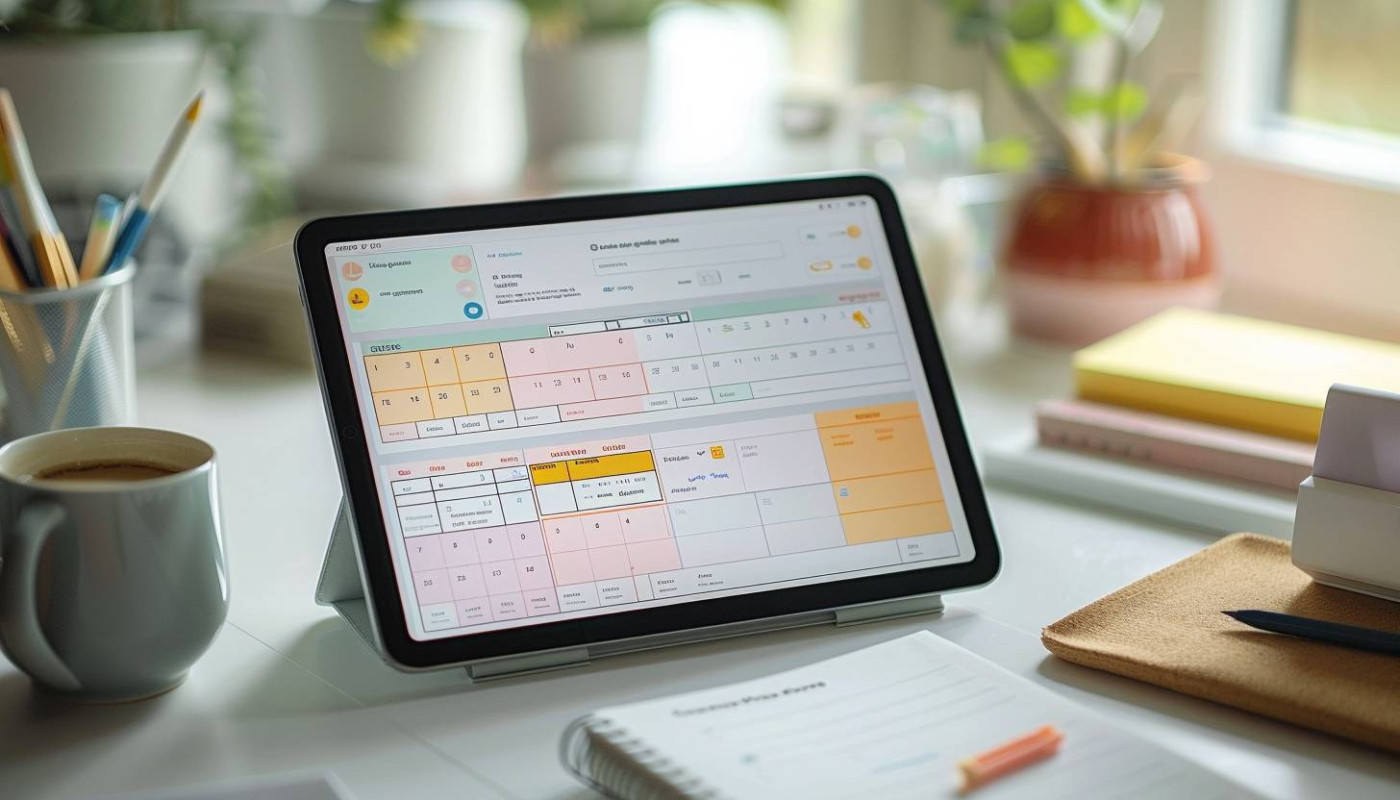
Quick Answer: What Is an AI Application Planner?
An AI application planner is a software assistant that uses artificial intelligence to organize your tasks, meetings, and priorities into an executable schedule — interpreting plain-language input instead of requiring manual data entry. Unlike a standard calendar, it makes decisions about sequencing, timing, and conflicts on your behalf.
Key capabilities:
- Interprets messy, conversational input ("dentist Thursday afternoon, finish the deck before Friday") and turns it into structured plan items
- Prioritizes and sequences work based on deadlines, effort, and your stated goals
- Reschedules automatically when something breaks — a meeting runs long, a deadline moves
- Maintains persistent context, so it doesn't ask you the same questions every week
The Problem: Why Most Planning Systems Quietly Fail
Planning failure is rarely dramatic. You start a new system, use it well for eleven days, then a busy week arrives and the whole thing collapses into a notification pile.
The data on how knowledge workers actually spend their time explains why. Microsoft's global Work Trend Index survey of 31,000 workers across 31 markets found that the volume of digital communication has outpaced our ability to process it:
68% of people say they don't have enough uninterrupted focus time during the workday — Microsoft Work Trend Index
62% of workers struggle with too much time spent searching for information in their workday — Microsoft Work Trend Index
Nearly 2 in 3 people (64%) say they struggle with having the time and energy to do their job, and those people are 3.5x more likely to also struggle with innovation and strategic thinking — Microsoft Work Trend Index
But building and maintaining a working plan is frustratingly difficult:
- Planning itself consumes real time. Testing by Zapier's reviewer found that scheduling work alone was eating roughly 45 minutes a day — about 10% of the workday.
- Digital tools hide the big picture. Columbia Business School research found paper calendar users fulfilled their plans on time at a 53% rate versus 33% for mobile calendar users, largely because paper shows more of the schedule at once without clicking into each event.
- Every disruption forces a full rebuild. One rescheduled meeting cascades through the rest of the week, and most tools leave that reshuffling entirely to you.
- Context lives in five places. Email, calendar, task list, notes, and travel confirmations don't talk to each other.
Planning Overhead Compounds
Every task you add to a traditional planner requires four decisions: what it's called, how long it takes, when it happens, and what it displaces. Multiply that across thirty items a week and the system becomes a second job. Most people abandon it around the point where maintenance cost exceeds perceived benefit.
Digital Calendars Sacrifice Perspective for Convenience
The Columbia Business School study ran three experiments and found a consistent pattern. In one, 450 participants planning home improvement projects were assigned paper, mobile, or "big-picture view" mobile calendars. Those on paper produced higher quality and more detailed plans as judged by outside evaluators.
Notably, the researchers found the gap narrowed when mobile users engaged in relational thinking — seeing how events interact with each other. That's precisely the reasoning layer a capable AI planner supplies.
Static Tools Can't Adapt to a Moving Target
Rule-based "smart" calendars use fixed logic — the same input always produces the same output. As Zapier's analysis notes, genuine AI scheduling tools connect to large language models that can weigh context and make judgment calls about your schedule rather than applying a template.
Context Doesn't Travel Between Sessions
Most planners forget everything the moment you close them. You re-explain that Tuesdays are blocked for deep work, that you don't take calls before 9 AM, that the quarterly review always slips. That repetition is the reason so many systems get abandoned.
This is exactly what Personal Secretary was built for.
Why Personal Secretary Works as an AI Application Planner
Personal Secretary is a dedicated AI planning agent that manages calendar, email, travel, and daily logistics with deep personal context. Rather than giving you another interface to maintain, it acts as the coordinating layer between what you need to do and when it actually happens.
The distinction matters. A planner app is a container. An AI application planner is a participant — it reads your inputs, reasons about tradeoffs, and proposes a schedule you can approve or adjust in conversation.
| Traditional Planning App | Personal Secretary |
|---|---|
| You manually enter every task with duration and time | Describe your week in plain language; the agent structures it |
| Rebuild your schedule yourself after every disruption | Ask for a re-plan and get a revised sequence with tradeoffs explained |
| Calendar, email, and travel live in separate tools | Coordinates across Gmail, Google Calendar, and Drive in one place |
| Forgets your preferences between sessions | Persistent memory retains routines, constraints, and project history |
| Fixed rules produce identical output regardless of context | Reasons about competing priorities and explains its recommendations |
Natural Language Planning, Not Data Entry
The heaviest tax in traditional planning is translation — converting what's in your head into fields the software accepts. Personal Secretary removes that step. You describe the situation and it produces the plan.
"Here's my week: three client calls to schedule, a proposal due Thursday, my parents visiting Saturday, and I need two solid blocks for the Q3 analysis. Build me a realistic schedule."
"I just got pulled into an all-day offsite Wednesday. Rebuild the rest of my week and tell me what I'm dropping."
Deep Personal Context That Persists
Because Jenova agents retain unlimited chat history and cross-session memory, the AI planner accumulates understanding of how you actually work. It learns that your energy peaks in the morning, that Friday afternoons are unusable, that a specific client always needs a buffer before the call.
This addresses the "relational thinking" gap the Columbia research identified — the agent holds the full picture of how your commitments interact, even when your screen can only show one day at a time.
Live Integration With the Tools You Already Use
Personal Secretary connects to Gmail, Google Calendar, Google Drive, Google Maps, Google Flights, and Google Hotels through Jenova's Model Context Protocol integrations. Planning happens where your actual data lives — not in a disconnected sandbox that requires you to duplicate everything.
"Check my calendar for next Tuesday, find a 90-minute gap after 10 AM, and draft an email to Priya proposing that slot."
Handling the Logistics Layer
Beyond scheduling, the agent handles the coordination work that surrounds a plan: drafting follow-up emails, researching travel options, tracking multi-step commitments, and flagging conflicts before they become emergencies.
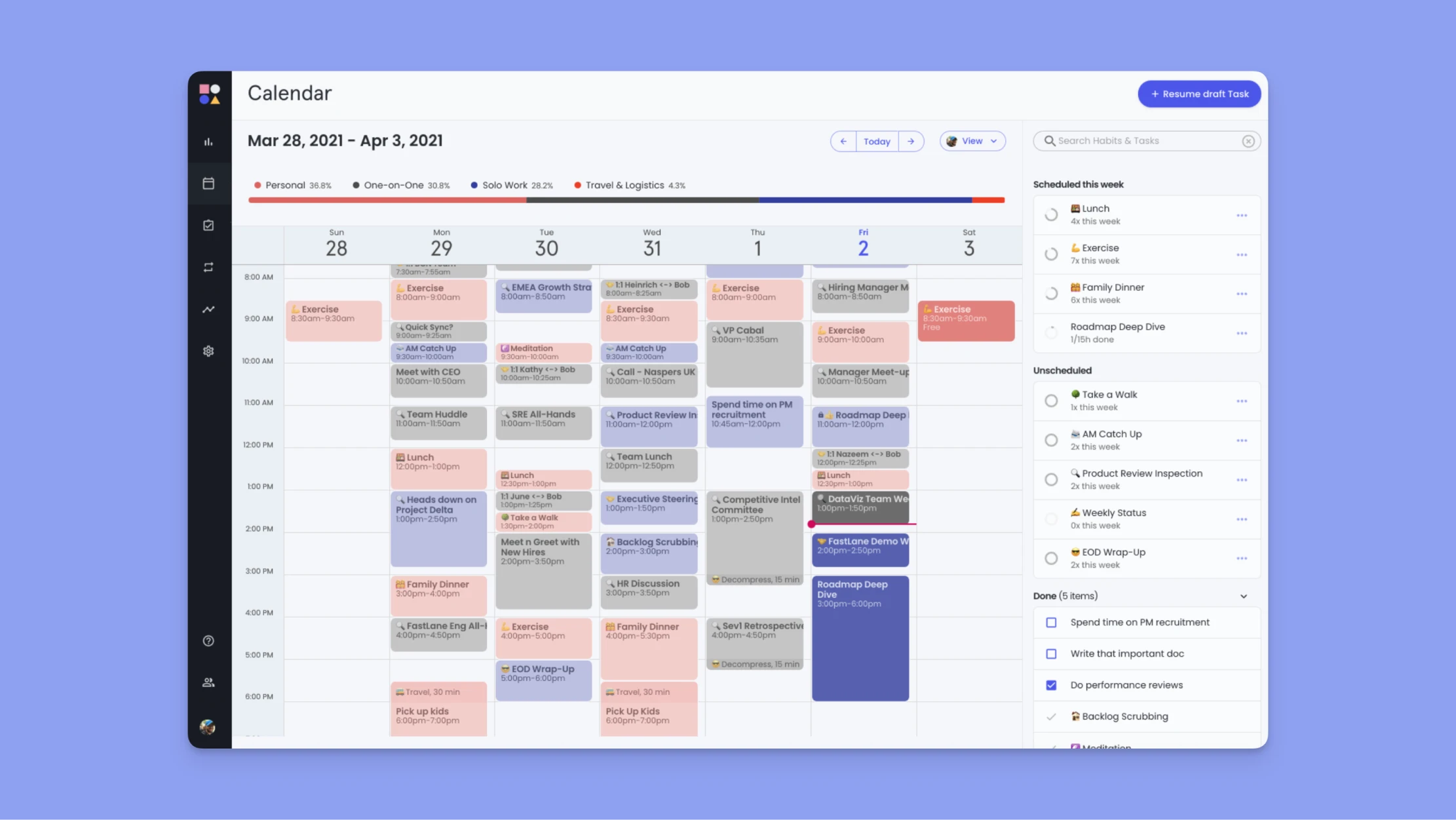
Related Agents You'll Also Find Useful
Planning rarely stops at the calendar. These agents handle adjacent parts of the same workflow and pair naturally with your AI application planner.
Meal Planner
If your weekly plan keeps collapsing at 6 PM because dinner wasn't decided, this closes the gap. Meal Planner builds optimized weekly plans, smart grocery lists, and prep schedules tailored to your household, budget, and diet.
- Weekly meal plans that fit around your actual schedule constraints
- Consolidated grocery lists that cut shopping trips
- Prep sequencing that batches cooking into fewer sessions
Travel Planning Advisor
When a trip lands in the middle of your planned week, logistics eat hours. Travel Planning Advisor handles the research and sequencing so your itinerary slots cleanly into the rest of your commitments.
- Flight, hotel, and ground transport research in one pass
- Destination research and local insights beyond the obvious
- Day-by-day itineraries that account for realistic travel times
Career Advisor
Daily planning works best when it ladders up to something. Career Advisor provides frameworks and real-time research for career exploration, transitions, and advancement — giving your weekly blocks a destination.
- Structured goal-setting that translates into scheduled milestones
- Market research on roles, skills, and transition paths
- Direct guidance on prioritizing development time against delivery work
Word Doc Generator
When your plan produces deliverables, this turns raw content into professionally formatted documents automatically — useful for the reports, proposals, and briefs sitting on your schedule.
- Industry-standard formatting applied automatically
- Handles resumes, proposals, research papers, and business documents
- Removes formatting time from your task estimates
Try Personal Secretary free — no credit card required.
How an AI Application Planner Works
Step 1: Describe Your Week in Plain Language
Open the agent and dump everything — meetings, deadlines, personal commitments, vague intentions. No formatting required. The messier your input, the more value the structuring step provides.
"I have a board deck due Friday, two 1:1s to schedule, dentist Wednesday morning, and I want to protect at least six hours of deep work. My kids get picked up at 4:30 every day."
Step 2: Review the Proposed Schedule
The agent returns a sequenced plan with reasoning attached — why the deck work landed on Tuesday and Wednesday mornings, why the 1:1s got pushed to Thursday, where the risk sits. You approve, adjust, or push back conversationally.
"Move the deep work blocks earlier. I'm useless after 2 PM."
Step 3: Connect Your Calendar and Email
Enable Gmail and Google Calendar through the Apps menu, and the AI planner works against your live schedule rather than a description of it. It can read existing commitments, find genuine gaps, and draft the emails required to lock things in.
"Look at my actual calendar for next week and tell me where the conflicts are."
Step 4: Re-Plan When Reality Intervenes
This is where the AI planner earns its place. When something breaks, you don't rebuild manually — you describe the change and get a revised plan with explicit tradeoffs.
"The client moved our Thursday call to Tuesday at 10. What does that displace and what do I need to drop?"
Step 5: Let Context Accumulate
Each session adds to what the agent knows. After a few weeks it stops asking about your constraints because it already knows them — which is precisely the point where most planning systems either become effortless or get abandoned.
Results & Use Cases
📊 The Overcommitted Manager
Scenario: A team lead with 18 recurring meetings, three active projects, and a quarterly review due in two weeks.
Traditional Approach: 45 minutes a day of calendar triage, per Zapier's testing of scheduling workflows — plus a full rebuild every time a meeting moves.
Personal Secretary: A single conversation each Monday produces the week's plan, with mid-week re-planning handled in under a minute.
- Meeting load audited against actual project deadlines
- Deep work blocks defended rather than treated as filler
- Follow-up emails drafted directly from calendar context
💼 The Solo Consultant
Scenario: An independent consultant juggling four clients, invoicing, business development, and travel to two client sites monthly.
Traditional Approach: Three separate systems — calendar, task manager, and notes — none of which know about the others.
Personal Secretary: One agent coordinates client commitments, travel logistics, and admin blocks with persistent context on each client's preferences.
- Client-specific constraints remembered without re-explanation
- Travel days planned around realistic transit, not optimistic estimates
- Business development time explicitly scheduled instead of squeezed in
📱 The Mobile Professional
Scenario: Someone who plans between meetings, in transit, and from a phone far more often than from a desk.
Traditional Approach: Mobile calendar interfaces show one day at a time — the exact limitation the Columbia Business School research identified as the cause of lower plan fulfillment.
Personal Secretary on Jenova mobile: Full feature parity across iOS and Android, with speech-to-text for hands-free planning. The agent holds the big picture even when the screen can't display it.
- Voice input for capturing commitments while walking or driving
- Full conversation history synced across every device
- The agent supplies the "relational thinking" the small screen can't
🎯 The Student Managing Coursework and Work
Scenario: A part-time student balancing 12 credit hours, a 25-hour work week, and assignment deadlines clustered around midterms.
Traditional Approach: A syllabus PDF, a work schedule in a group chat, and a mental model that fails the week everything is due at once.
Personal Secretary: Deadline mapping across the full term, with study blocks scheduled backward from due dates rather than crammed forward from panic.
- All course deadlines consolidated into one working timeline
- Study sessions sized to assignment weight, not guesswork
- Conflicts between shifts and deadlines flagged weeks ahead
Frequently Asked Questions
Is the AI application planner free to use?
Yes. Personal Secretary is available on Jenova's free tier with all core features and limited monthly usage. Paid plans start at $20/month for 30× the usage allowance plus custom model selection. Check "Usage Limit" and "Subscribe" in the menu for current details on your account.
How is an AI planner different from a smart calendar?
Smart calendars run on fixed rules — the same input always yields the same result. As Zapier's analysis explains, true AI planners pass your context to language models that make judgment calls. Personal Secretary reasons about competing priorities and explains its recommendations rather than applying a template.
Can it access my actual calendar and email?
Yes, through Jenova's app integrations. Connect Gmail, Google Calendar, and Google Drive via the Apps menu and the agent works against your live data — reading existing commitments, identifying genuine gaps, and drafting scheduling emails.
Does the AI planner remember my preferences?
Yes. Jenova agents maintain unlimited chat history and persistent cross-session memory. Your routines, constraints, and ongoing projects carry forward automatically. Enable Global Memory in Settings to extend that context across all your chats.
Does it work on mobile?
Full feature parity across web, iOS, and Android, including speech-to-text for hands-free planning. This matters because research shows mobile calendar users historically fulfill fewer plans — the agent supplies the big-picture reasoning a small screen can't display.
Can it help with planning beyond work?
Yes. Personal Secretary handles calendar, email, travel, and daily logistics across both professional and personal life. For domain-specific planning, pair it with Meal Planner for household routines or Travel Planning Advisor for trip logistics.
Conclusion
The gap between having a plan and executing it comes down to reasoning — knowing how commitments interact, what a disruption actually costs, and which tradeoff to make when the week compresses. Traditional planning apps store information. They don't think about it. That's why 68% of workers still report insufficient focus time despite a decade of productivity software.
An AI application planner closes that gap. Instead of maintaining a system, you have a conversation — and the schedule that comes back accounts for context, constraints, and consequences.
Try Personal Secretary now and describe your week in plain language. Explore more at Jenova.
For Developers: Personal Secretary is available programmatically via the Jenova API — integrate AI-powered scheduling and daily logistics into your application with a single API call. Full documentation →