AI Anime Character Creator: Design Consistent OCs and Full Casts
2026-08-11
An AI anime character creator turns a written description into a complete character design — front, side, and back turnarounds, expression sheets, wardrobe variations, and a locked color palette you can carry across an entire series. Most AI image tools give you one attractive picture and no way to reproduce that same character twice. A purpose-built creator treats the design as an asset, not a one-off render.
✅ Generate full reference sheets: turnarounds, expressions, and outfit variations ✅ Lock a character's face, hair, wardrobe, and palette for reuse across every scene ✅ Build entire casts with visual distinction between characters ✅ Carry the design forward into panels, storyboards, and finished pages
To understand why this matters, it helps to look at what character design actually involves — because the hard part was never producing one good-looking illustration.
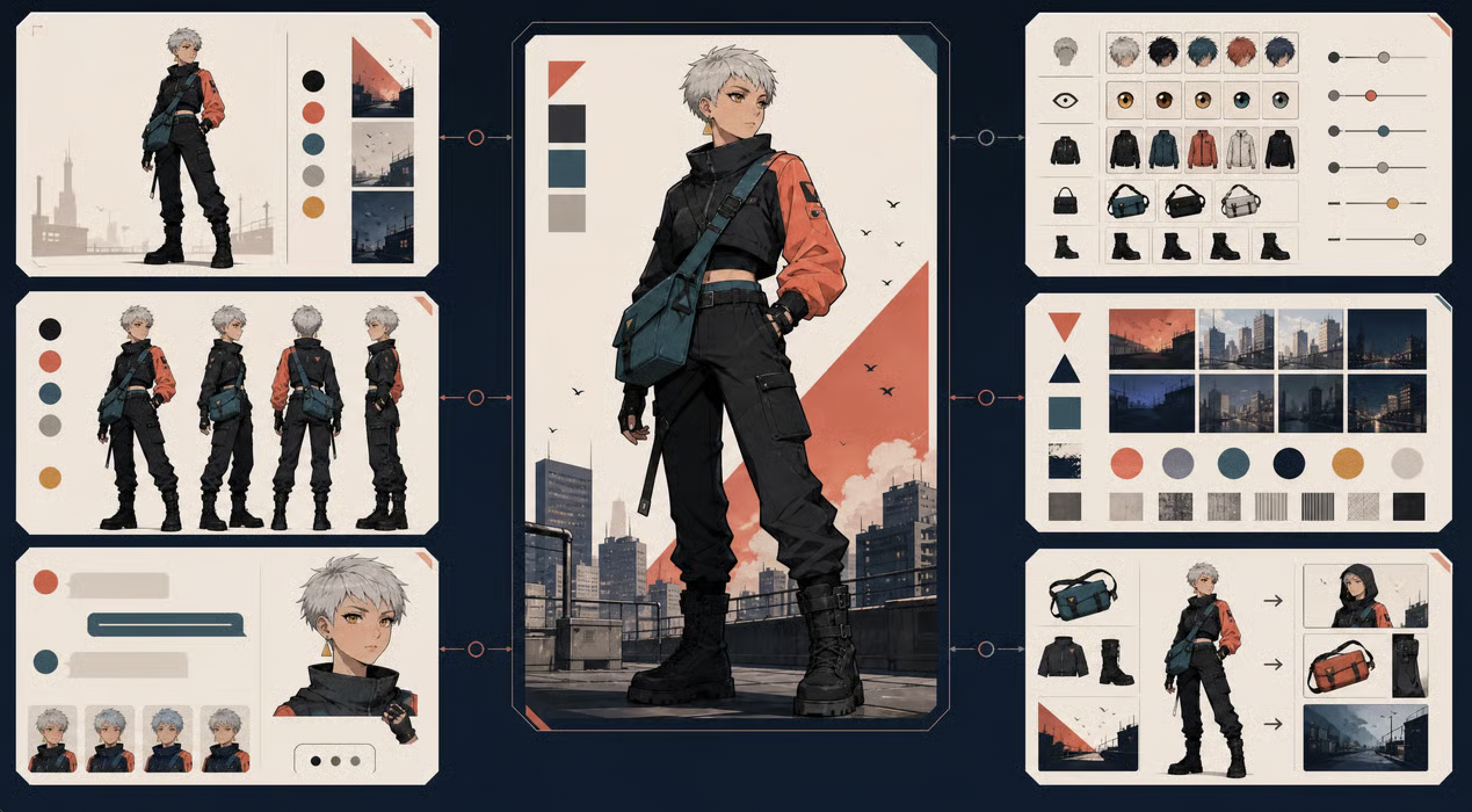
Quick Answer: What Is an AI Anime Character Creator?
An AI anime character creator is a tool that generates complete anime character designs — including turnarounds, expression sheets, costume variations, and color palettes — while keeping the character's appearance consistent across every image you generate afterward.
Key capabilities:
- Full reference sheet generation: front, three-quarter, side, and back views
- Expression and pose sheets for a single locked design
- Wardrobe, accessory, and color palette variations on the same character
- Cast-level design with visual distinction between multiple characters
- Design continuity carried into panels, storyboards, and finished sequential pages
The Problem: Character Design Is a Pipeline, Not a Picture
Anime and animation production is expanding, and the tooling around it is shifting fast. Industry analysis notes that the generative AI in animation market was estimated at USD 652.1 million in 2024, and that AI tools are now used across "concept exploration, previs, cleanup, localization, image references, and early motion tests." Access to image generation is not the bottleneck.
The bottleneck is that a character design is a specification, not an illustration. In professional pipelines, character concept art covers not only "the character's physical attributes, but also wardrobe and hairstyles, as well as expression sheets in the case of concept art for animation projects. One picture doesn't do that job.
Producing that specification is frustratingly difficult:
- Reference sheets require multiple consistent views of the same character, not multiple attractive pictures
- Character consistency degrades across generations — the face drifts, the outfit changes, the hair silhouette shifts
- A cast needs visual differentiation — five characters who read as the same person is a design failure
- The design has to survive downstream into panels, storyboards, and animation, where it's used hundreds of times
- Concept art is iterative by nature — "a process of trial and error involving several stages of revisions and refinements" — and each manual revision cycle costs hours
Consistency Is the Documented Failure Mode
This isn't a subjective complaint. Research on multi-stage character generation pipelines measured it directly: removing the dedicated character-visualization stage produced a catastrophic drop in character consistency scores, from 7.99 down to 0.55. The paper's conclusion is unambiguous:
"Visual priors are essential for identity preservation." — Lights, Camera, Consistency: A Multistage Pipeline for Character-Stable AI Video Stories
In plain terms: unless you generate a locked character reference first and then condition everything else on it, your character will not survive contact with the second image.
A Character Sheet Is the Anchor, Not a Nice-to-Have
The same research describes the solution architecture explicitly — generating "a character sheet, which will contain the reference image of the character with multiple views" so that consistency holds "across various expressions." Character sheets exist in traditional pipelines for exactly this reason. AI workflows that skip them reproduce the problem they were meant to solve.
Prompt-Only Tools Solve the Wrong Problem
Most consumer anime generators are built around one interaction: describe a character, receive an image. That's genuinely useful for an avatar. It's useless for a series, because there's no mechanism to say this exact character again, different angle, different mood, different outfit. The design isn't stored anywhere — it only ever existed in the output.
Casts Are Harder Than Characters
A single well-designed protagonist is a solvable problem. A cast of eight who read as distinct people — different silhouettes, different palettes, different visual weight — requires holding all of them in relation to one another. Generate them independently and you get eight variations on whatever the model's default anime face happens to be.
Design Detail Level Is a Real Decision
There's also a question of how finished a design needs to be before you move forward, and the answer is less obvious than it looks. In a controlled study on concept art completion, industry professionals were "consistently not able to distinguish sculpts created with a high amount of concept art from those created with a low amount". The research suggests starting production earlier with a rougher design, and iterating — which only works if iteration is cheap.
This is exactly the gap a purpose-built character creator was designed to close.
Why an AI Anime Character Creator Changes the Math
The distinction between an anime image generator and a character creator is whether the design persists. One produces a picture. The other produces a reusable asset — with defined views, locked features, and a palette you can reference for the length of a project.
| Prompt-Only Anime Generators | AI Anime Character Creator |
|---|---|
| One attractive image per prompt | Full reference sheet: turnarounds, expressions, wardrobe |
| Character drifts between generations | Design locked and reused across every subsequent image |
| Each cast member generated in isolation | Cast built with deliberate visual differentiation |
| No color continuity between images | Defined palette carried across the whole design |
| Design ends at the render | Design carries into panels, storyboards, and pages |
| Revisions mean re-prompting from scratch | Revisions applied to the existing locked design |
Reference Sheets, Not Renders
The Character Creator produces the artifact a production actually needs — multiple views of one character, an expression range, and outfit variations built on the same body and face. That's the difference between having an image of a character and having a character.
"Build a full reference sheet: short white hair, amber eyes, black tactical cargo pants, orange-and-black bomber jacket, teal crossbody bag, combat boots. Front, three-quarter, side, and back views, plus four expressions."
Design Language, Not Prompt Syntax
You describe the character the way you'd brief a concept artist — silhouette, personality, wardrobe logic, world context — rather than stacking modifier keywords and hoping. Professional concept work starts from a brief covering "a character's personality, the setting of the world, or other detailed specifications", and that's the input format that produces designs with intent behind them.
"She reads as guarded but not cold. Practical urban wear, nothing decorative. Palette should sit against a dusk city skyline — muted blacks with one warm accent."
Locked Palettes and Wardrobe Systems
A defined color palette isn't decoration — it's what makes a character recognizable at a glance and reproducible across a series. Same applies to wardrobe: a base outfit plus variations, rather than a new costume every time the character appears.
Casts Designed in Relation to Each Other
Build a cast as a group and the characters can be differentiated deliberately — silhouette contrast, palette separation, distinct hair and costume shapes — so that readers can tell them apart in a small panel at a glance.
Designs That Survive Into Production
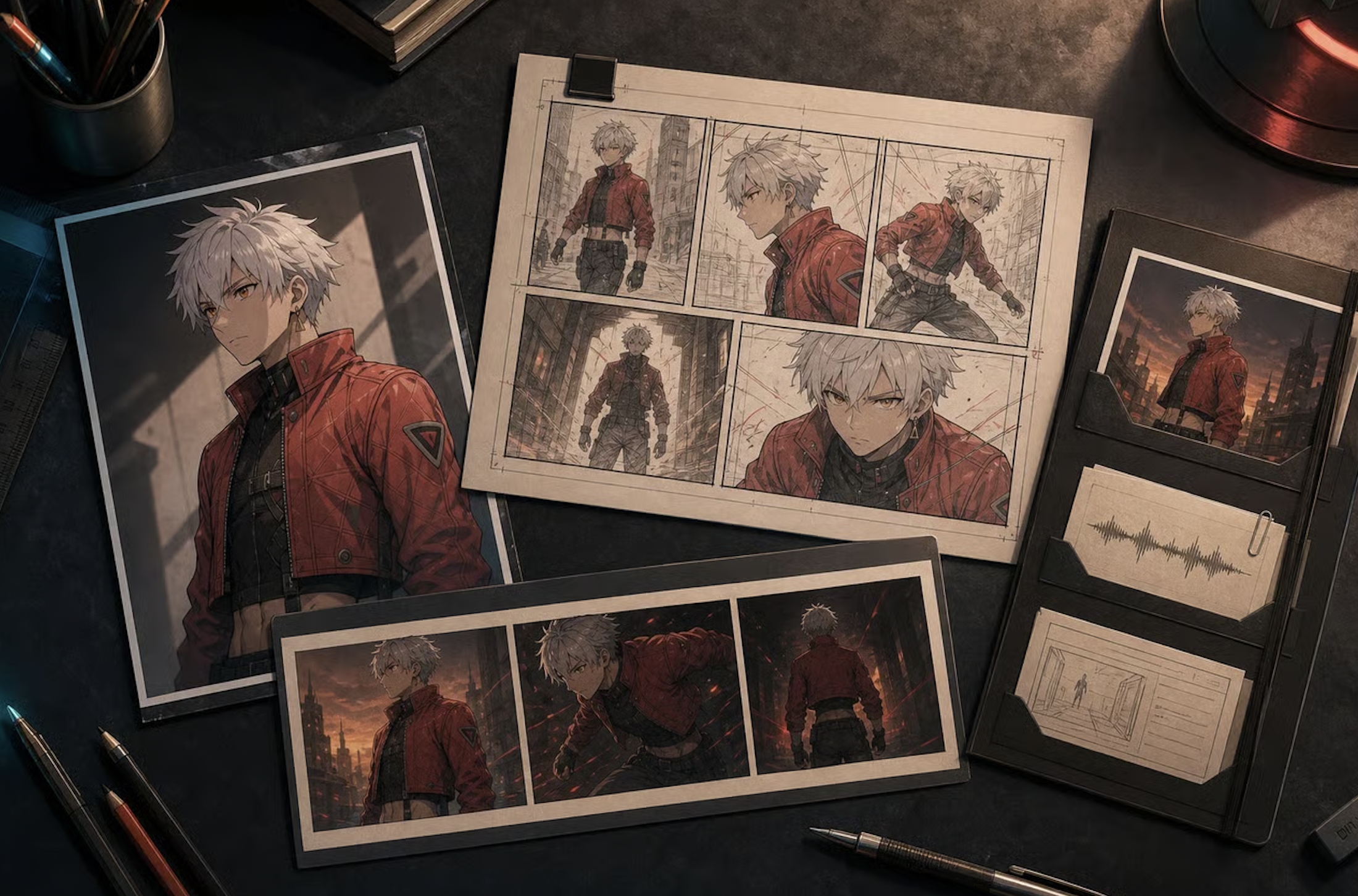
The point of a locked design is what happens next. Once the character sheet exists, it anchors everything downstream — storyboard frames, comic panels, manga pages. This mirrors how professional pipelines increasingly work, with research recommending teams "blur the lines between your departments" and move into production from an early, reviewed design rather than waiting for a finished render.
Related Agents You'll Also Find Useful
A character design is a starting point. These agents cover where it goes next.
Manga Creator
Once your cast is locked, panels are the next step. This agent handles right-to-left panel flow, screentone, speed lines, and consistent art style across one-shots through 200+ page serialized epics — carrying your character designs through every page.
- Panel layout and koma-wari composition
- Black-and-white rendering with screentone and spot blacks
- Cast consistency maintained across a full serialized run
Webtoon Creator
If you're publishing mobile-first, the format changes everything — vertical scroll instead of pages, full color instead of monochrome, and episode-level pacing. Your character designs need to hold across hundreds of scroll-length episodes.
- Vertical scroll rhythm and scroll-triggered reveals
- Full-color character consistency across long series
- Episode hook placement tuned to platform retention
Comic Creator
Western sequential art uses different conventions — left-to-right reading, bolder color work, different panel density. If your anime-styled cast is going into a comic issue or graphic novel, this is the closer fit.
- Left-to-right page flow and Western panel grammar
- Dynamic layouts from single issues to full graphic novels
- Character consistency across an entire issue
Game Designer Assistant
If your characters are headed into a game rather than a comic, design decisions change — readability at small scale, silhouette clarity in motion, and how a cast fits a genre and platform.
- Concept art and character-led systems thinking
- Genre and platform expertise across markets
- Documentation and design brainstorming
Try any of these free — no credit card required.
How It Works: Concept to Locked Design in Four Steps
Step 1: Brief the Character
Describe who they are before describing what they look like. Personality, role in the story, and world context shape every visual decision that follows — a professional brief covers exactly this ground before any drawing starts.
"Lead character. Late teens, urban scavenger in a near-future city. Guarded, practical, moves fast. Nothing about her outfit is decorative — everything has a function."
Step 2: Define the Visual Specification
Now get concrete. Hair, eyes, build, wardrobe, accessories, and the art register — clean shōnen linework, gritty seinen rendering, soft shōjo palette, cel-shaded, painterly.
"Short white hair, amber eyes, lean build. Black cargo pants, orange-and-black bomber jacket, teal crossbody bag, heavy combat boots. Style: clean cel-shaded anime, high contrast, muted palette with one warm accent."
Step 3: Generate the Reference Sheet
Ask for the views you'll actually use. Turnarounds establish the design in three dimensions; expression sheets establish the range; outfit variations establish the wardrobe system.
"Full reference sheet: front, three-quarter, side, and back turnarounds. Expression row — neutral, angry, exhausted, and a small smirk. Two outfit variants: full jacket and jacket-off. Include a color palette strip."
Step 4: Lock It and Build the Cast
Once the design is right, it becomes the anchor. Generate additional characters against it for contrast, then carry the whole cast forward into panels or storyboards with the designs already fixed.
"Lock this design. Now build her rival: same world, opposite silhouette — heavier build, longer coat, cool palette so they read differently in a shared panel."
Results & Use Cases
🎨 Creators Designing an Original Cast
Scenario: A creator has a story concept and needs eight distinct characters before they can start anything.
Traditional Approach: Commission a character artist per design and wait through their queue, or attempt it in a prompt-only generator and end up with eight variations of the same face.
AI Anime Character Creator: Use the Character Creator to build the cast as a group, with deliberate silhouette and palette contrast between members.
- Every character gets a full reference sheet, not a single render
- Cast members are differentiated by design, not by accident
- Designs are locked and reusable before production starts
📖 Mangaka Locking Designs Before Chapter One
Scenario: An artist is about to start a serialized title and knows the protagonist will appear in hundreds of panels.
Traditional Approach: Design on the fly, then watch the character visibly drift by chapter three — the exact failure research quantifies as a collapse in consistency when no visual anchor exists.
AI Anime Character Creator: Build the reference sheet first, then carry it into the Manga Creator so the cast holds across the full run.
- Design established before page one, not discovered by page thirty
- Turnarounds available whenever a new angle is needed
- Consistency maintained across a 200+ page serialized title
📱 Writers Visualizing a Cast on Mobile
Scenario: A writer has a finished script and no ability to draw any of the people in it.
Traditional Approach: Describe characters in prose, hand the script to an artist, and hope their interpretation matches what's in your head.
AI Anime Character Creator: Generate the full cast from written descriptions and refine until it matches. Jenova runs with full feature parity across web, iOS, and Android with settings synced — so you can design on a phone during a commute and refine on a laptop that night.
- No drawing skill required — the input is written description
- Interpretation gap closed before an artist is ever involved
- Whole workflow runs from a phone
🎮 Artists Using It as a Concept Stage
Scenario: A skilled illustrator wants to explore twenty design directions before committing to one.
Traditional Approach: Thumbnail each variation by hand — an expensive way to discover that eighteen of them don't work.
AI Anime Character Creator: Generate the exploration pass rapidly, pick the direction, then draw the final design personally. This mirrors what the concept art research recommends: since professionals couldn't distinguish work built from rough versus finished concepts, moving into production from an early design and iterating is the more efficient path.
- Twenty directions explored for the cost of zero finished drawings
- Design decisions made on comparison, not imagination
- Final craft stays in the artist's hands
FAQ
Is an AI anime character creator free to use?
Jenova offers all core features on a free tier, including access to the agent library and character design generation with limited monthly usage. Paid plans start at $20/month for 30× the free usage, custom model selection, and watermark-free output. Usage resets monthly on your billing date, with the full limit available from day one and no daily caps. Check "Usage Limit" in the menu for current details.
How is this different from a regular AI anime image generator?
A general anime generator produces one image per prompt with no memory of what it made before. A character creator produces a design — turnarounds, expressions, wardrobe, and palette — then reuses it. Research on character-stable generation found that removing the dedicated character-visualization stage caused consistency to collapse from 7.99 to 0.55, confirming that visual priors are essential for identity preservation.
Can it keep my character consistent across many images?
Yes — this is the core function rather than a side feature. Once a design is established through a reference sheet, the face, hair, build, wardrobe, and palette carry into subsequent generations. This is why professional pipelines build character sheets with multiple views before production begins, and the Character Creator follows the same logic.
Can it generate a full character reference sheet with turnarounds?
Yes. Front, three-quarter, side, and back views, plus expression rows, pose variations, outfit variants, and a defined color palette. This matches what professional character concept art actually covers — physical attributes alongside wardrobe, hairstyles, and expression sheets — rather than a single portrait.
Can I use the designs in my manga, webtoon, or comic?
That's the intended workflow. Lock the cast first, then move into the format you're publishing in. Manga is paged, black-and-white, right-to-left — use the Manga Creator. Webtoon is vertical-scroll and full-color — use the Webtoon Creator. Western comics read left-to-right on the page — use the Comic Creator.
Are AI-designed characters accepted by readers and platforms?
Worth being straight about: this is contested. Industry commentary notes that audiences are increasingly "getting better at spotting generic work, especially when it feels too automated," and the prevailing view is that AI works best "when it supports the creative process instead of replacing it." Many creators use AI for the exploration and reference-sheet stage while keeping final art and authorship human, and disclose their process. Check platform and publisher policies before publishing.
Conclusion
Designing an anime character was never hard because making one good picture is hard. It's hard because a character is a specification that has to survive hundreds of appearances — the same face at a different angle, the same jacket in a different pose, the same palette in a different scene. Prompt-only tools produce a striking image and then lose it, which is why the design collapses the moment you try to use it twice.
An AI anime character creator changes that. When a reference sheet takes minutes and a variation costs a sentence, the writer who can't draw can cast their story. The mangaka can lock a protagonist before page one instead of watching them drift by chapter three. The working illustrator can explore twenty directions in an afternoon and still draw the final design themselves. The judgment — who this person is, what their silhouette says, why the palette works — is still the job. What's gone is the labor between the concept and the sheet.
Start with one character. Build the reference sheet. See whether they hold.
Try the Character Creator now, or carry your cast into the Manga Creator, Webtoon Creator, or Comic Creator depending on your format. Explore the full agent library at Jenova.
For Developers: Anime character design and reference sheet generation is available programmatically via the Jenova API — integrate consistent character creation into your creative, gaming, or publishing application with a single API call. Full documentation →